
Your CAM environment
From a CNC programmer, for CNC programmers.
AvangardeCam was made on a shop floor, for the work that really happens there.
The idea: everyone can add the functions they need, with the help of AI, to make their own work better and easier. The code is built for it: small modules, tests, a clear map.
- Free. No expensive licences, no subscriptions, no seat limits.
- Yours to change. Use it, adapt it, share it, under the LGPL-2.1.
- Your postprocessors are fully yours (MIT): write one for your machine and keep it, share it or sell it.
Beta. Free, LGPL-2.1. Windows, Linux, macOS.
Free add-on for FreeCAD 1.1
From the 3D model to the .H program. Without the noise.
AvangardeCam is a CAM interface for FreeCAD, made in a machine shop for everyday 2.5D milling on Heidenhain TNC controls. Pick faces or lines, choose a tool, check it in the simulation, run it.
What it does
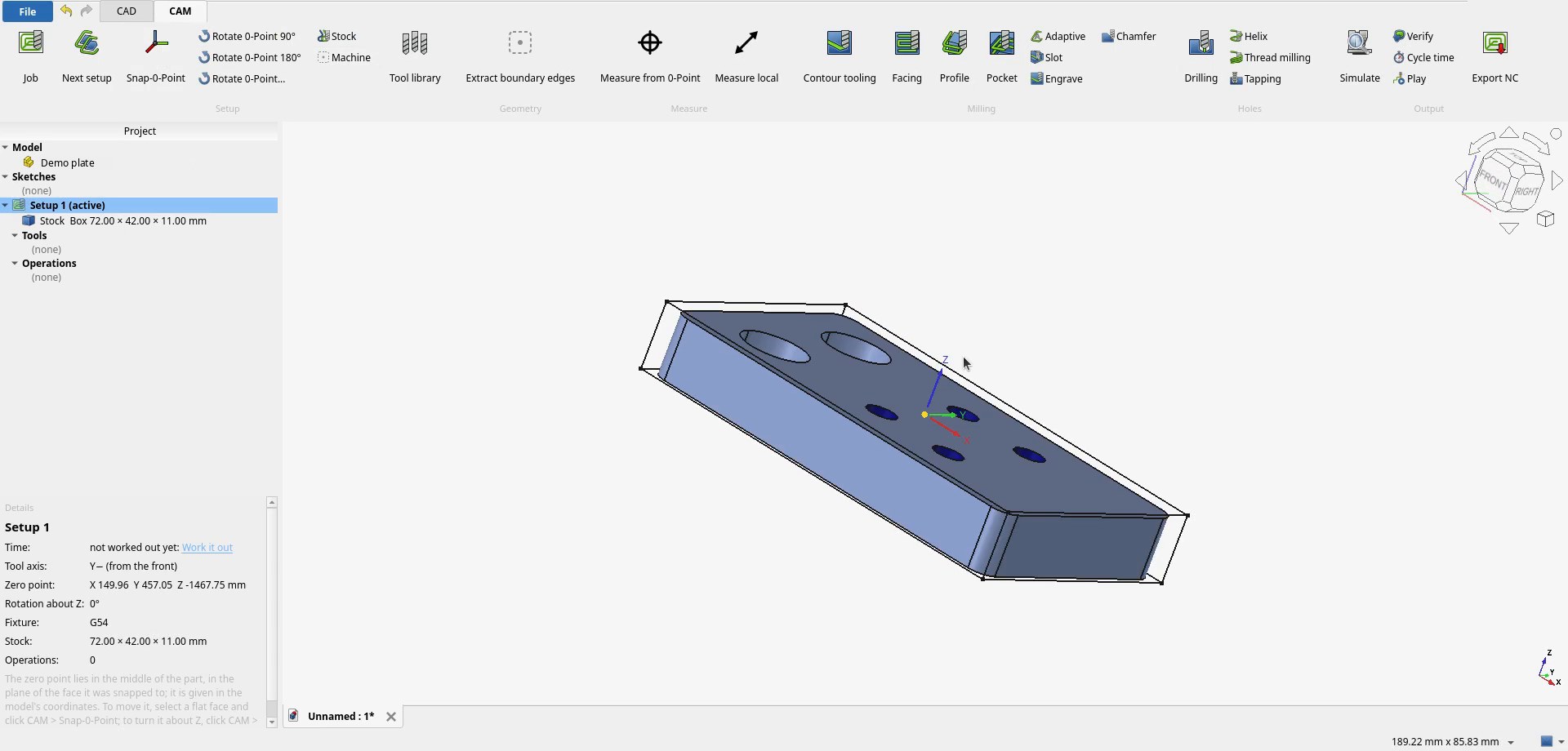
Setups and zero points
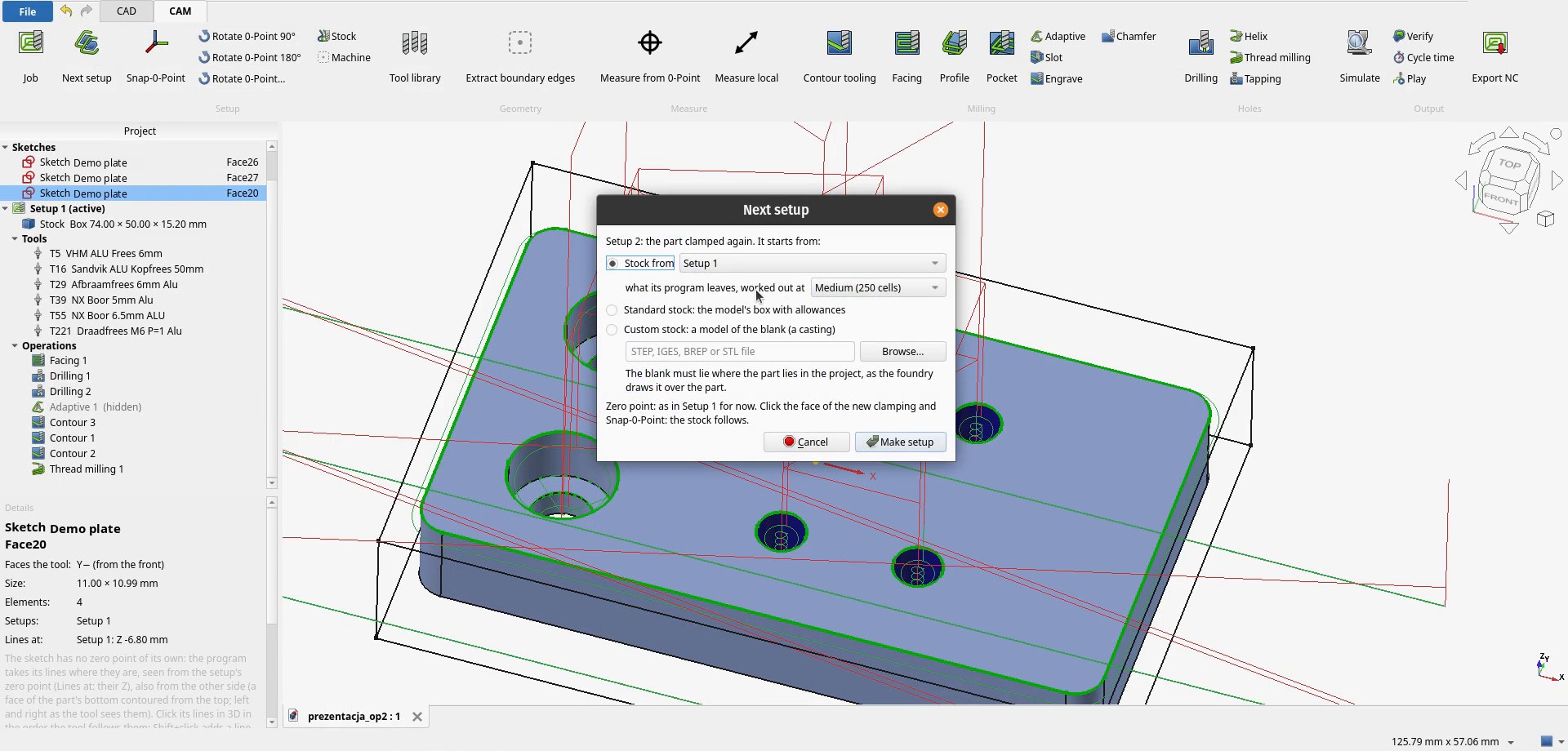
Several setups per part, Snap-0-Point on a face, zero rotated around Z, the next setup starts from the stock the previous one leaves.
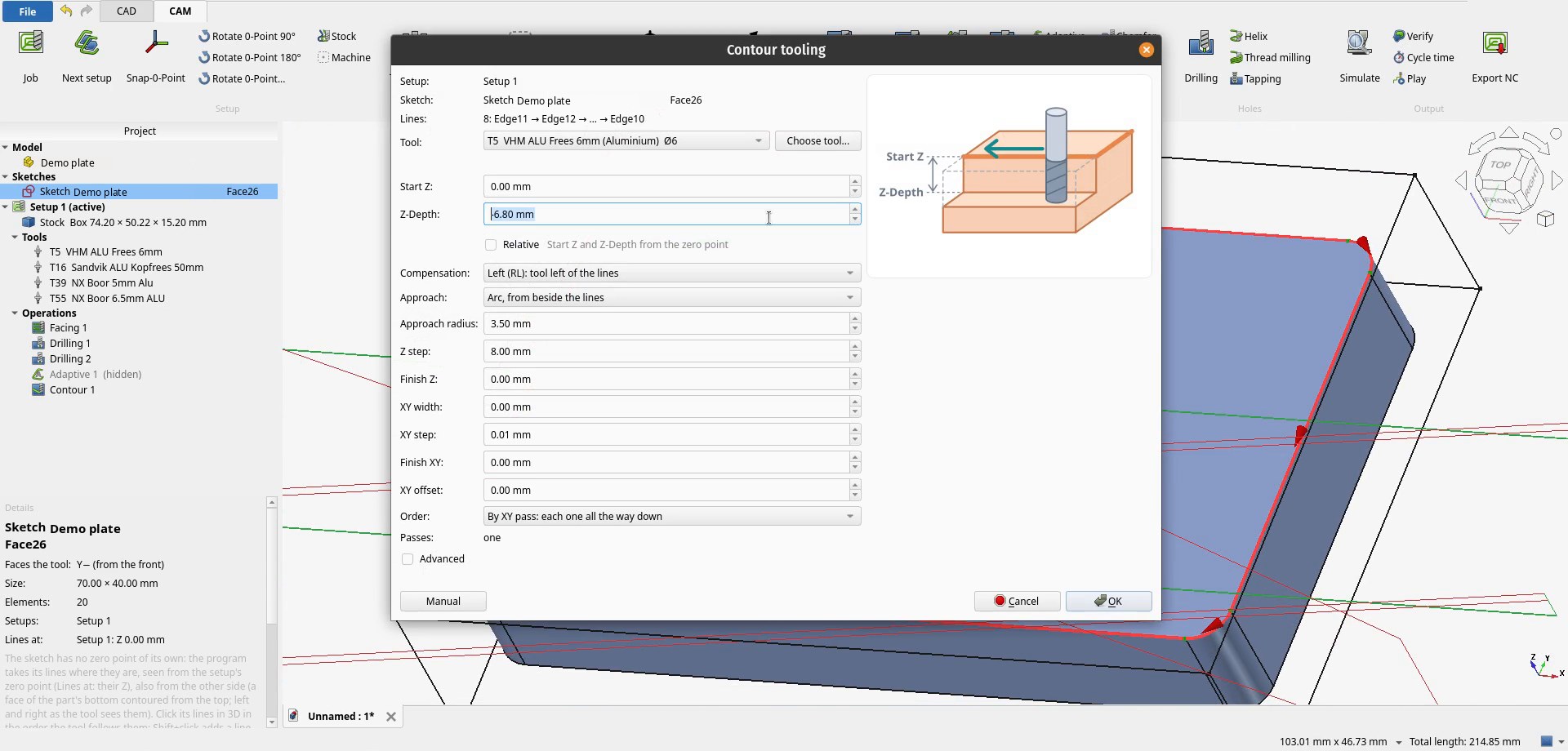
Contour tooling
Compensation RL/RR, approach arcs, passes in XY and Z, ramps, start and end of the contour.
Holes
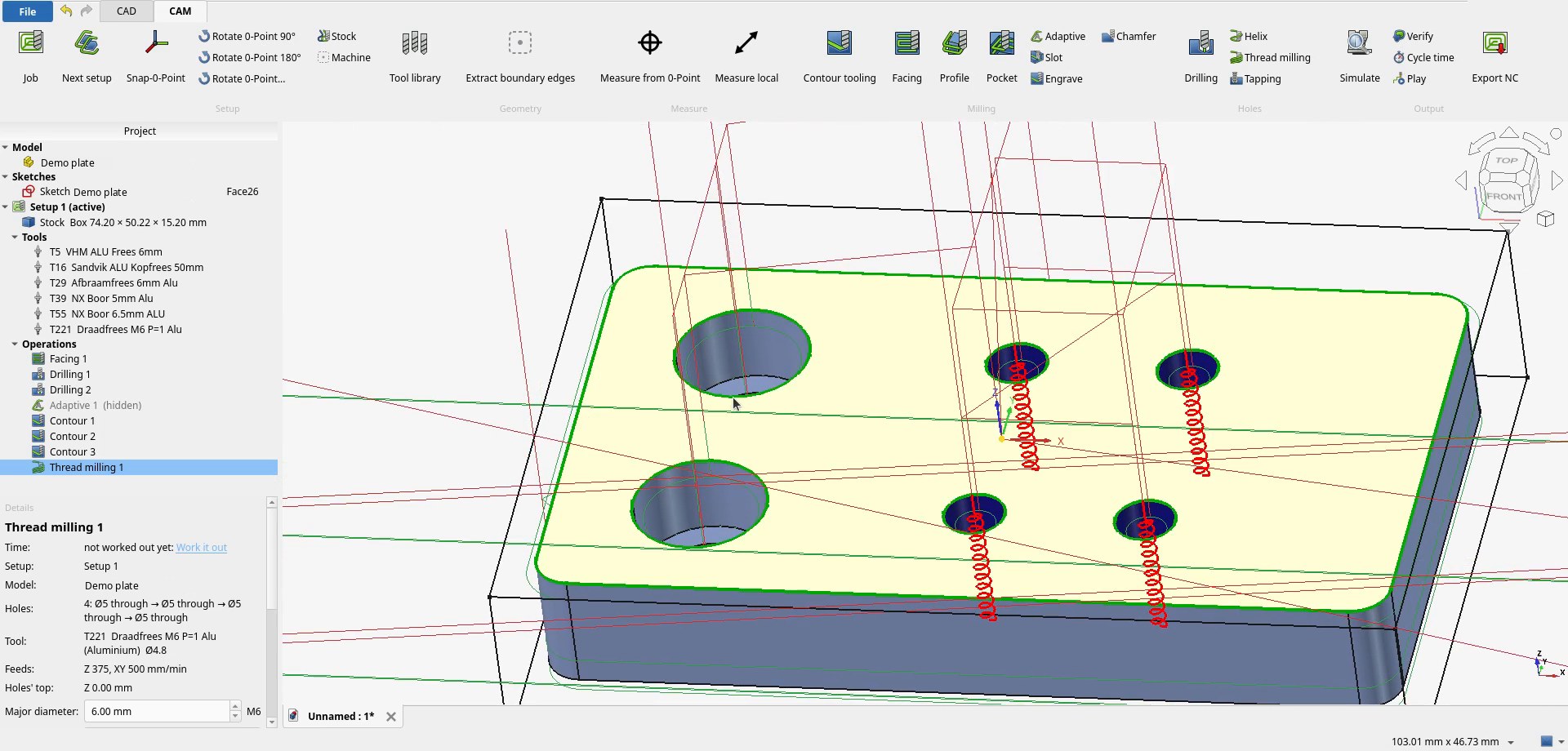
Drilling (cycle 205) with depth from the 3D model, helix milling, thread milling.
Clearing
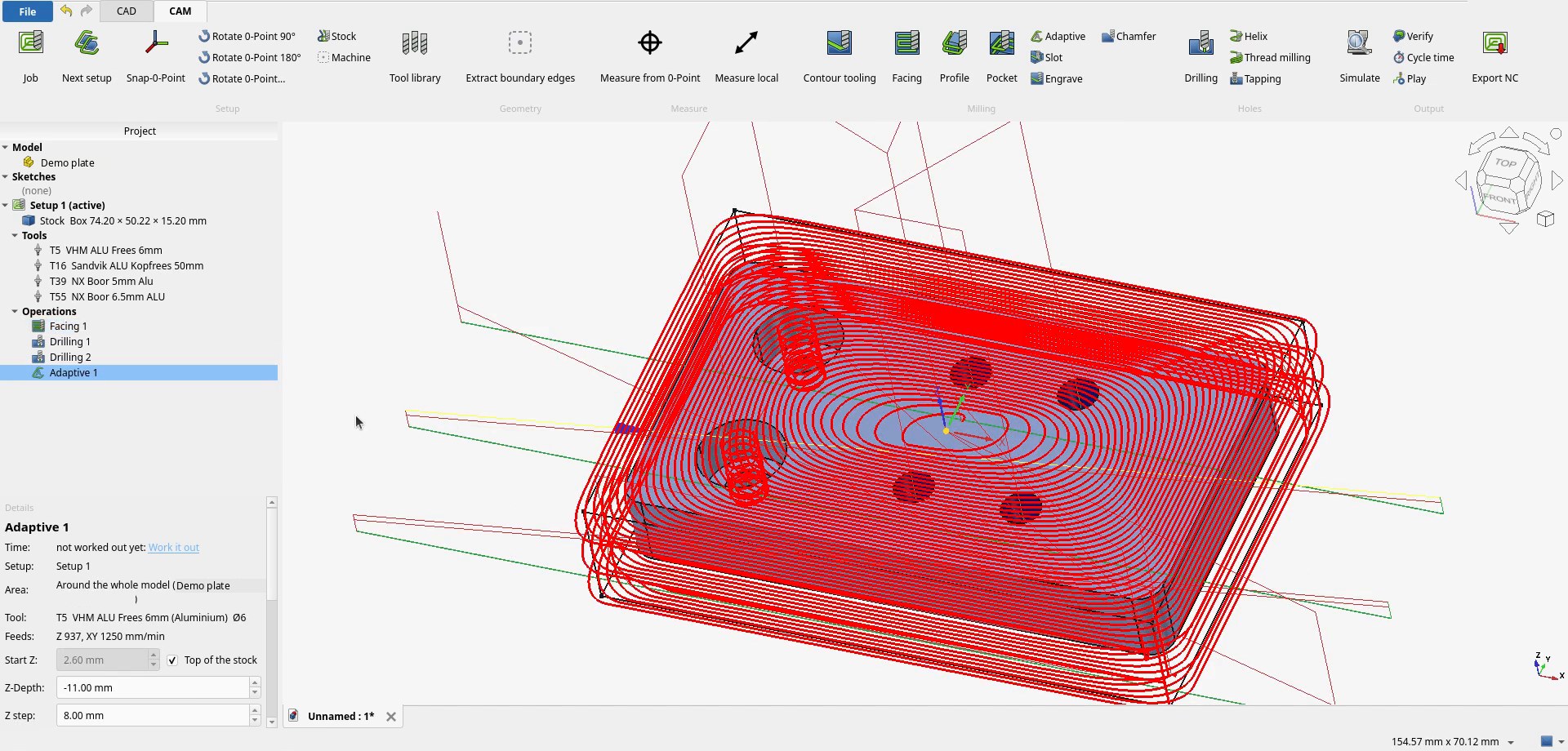
Adaptive clearing, facing, slot milling, deburring.
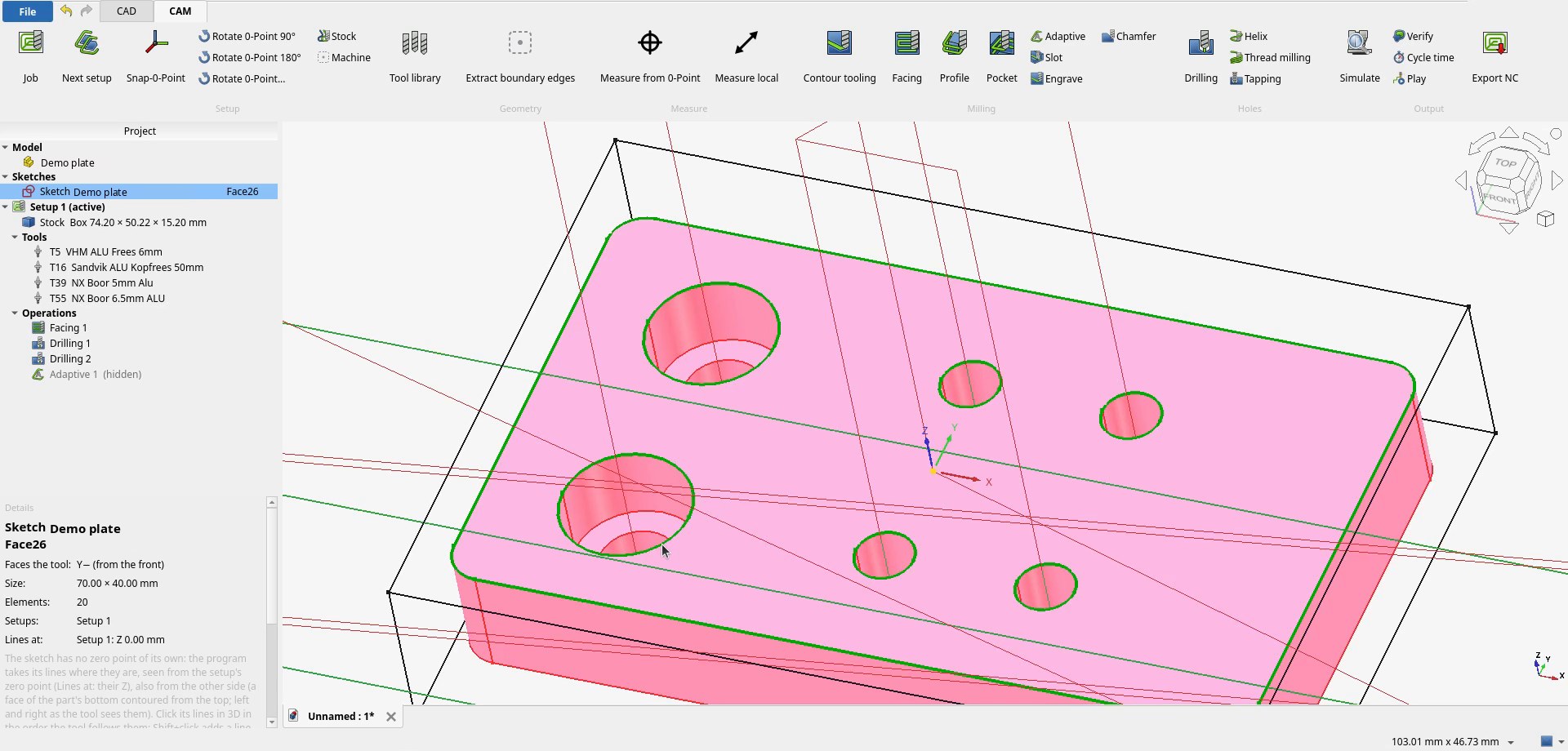
Selection like in Blender
Shift+click add or remove, Ctrl+click shortest path, Alt+click loop.
Simulation and checks
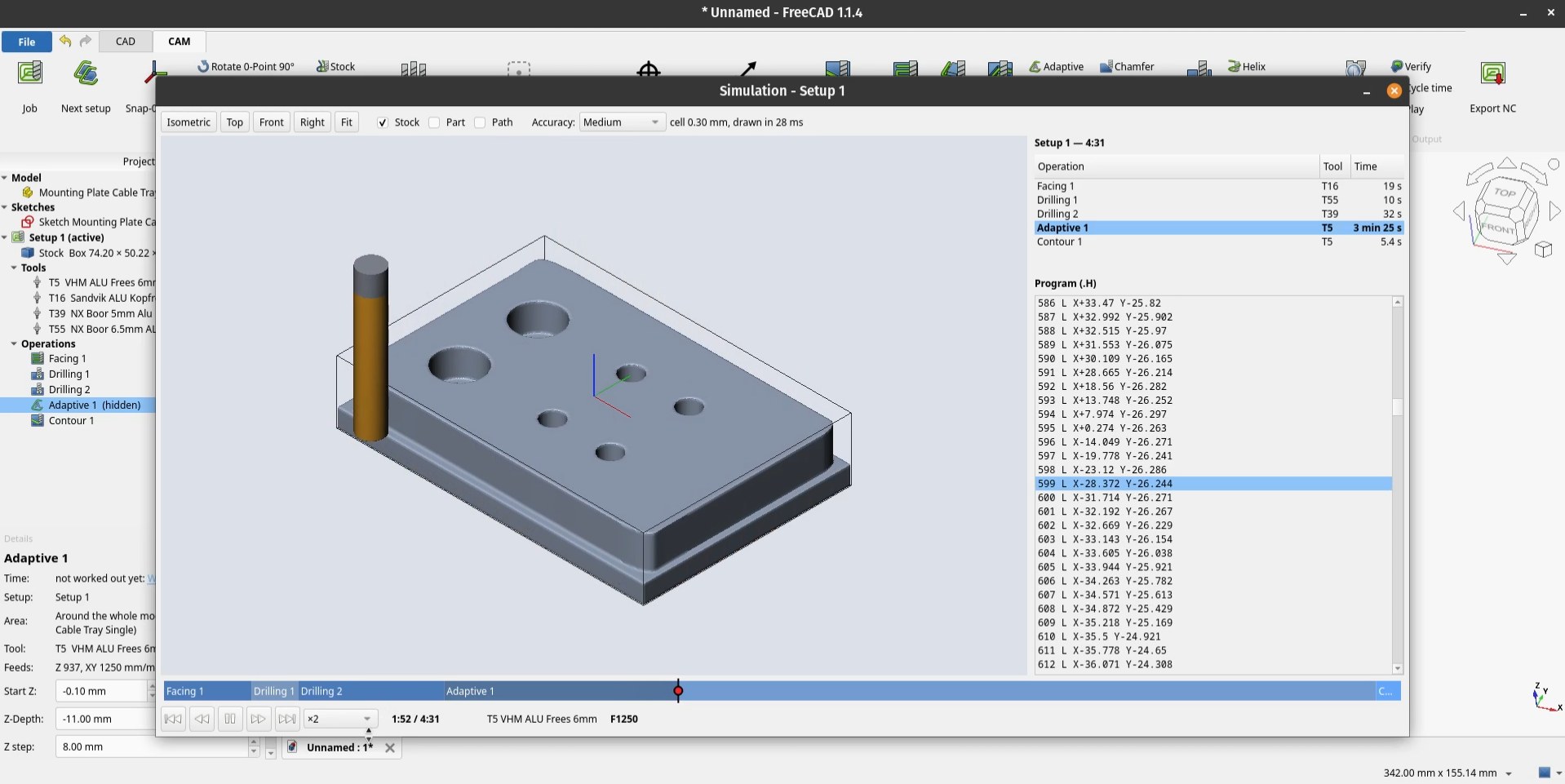
Play window with the stock removed live, Verify against the model, collisions of rapid moves, holder and neck.
Cycle time
Worked out from the dynamics of the machine, not only from feed rates.
Heidenhain TNC 620
Plain language .H, every setup on its own preset. Tested on a Bridgeport V1000 with a TNC 620.
A look inside
Install in three steps
Needs FreeCAD 1.1 or newer.
The easy way: let AI install it
- Start an AI agent on your computer, for example Claude Code.
- Paste this and send it:
Install the AvangardeCam workbench for FreeCAD on this computer: https://github.com/AvangardeCam/AvangardeCAM - Enjoy free CAM.
Or by hand:
- Download AvangardeCam.zip and unpack it. It holds one folder:
AvangardeCam. - Put that folder into FreeCAD’s
Modfolder (createModif it is missing):- Windows:
%APPDATA%\FreeCAD\v1-1\Mod\ - Linux:
~/.local/share/FreeCAD/v1-1/Mod/ - macOS:
~/Library/Application Support/FreeCAD/v1-1/Mod/
- Windows:
- Restart FreeCAD. AvangardeCam opens as the start workbench. Set units to Metric small parts & CNC.
Built to be extended with AI
Every function lives in its own modules with its own tests, and ARCHITECTURE.md describes how everything fits together. An AI coding assistant (Claude Code, Codex, Copilot, ...) can add what your shop needs without breaking the rest, including a postprocessor for your control.
Check every program before it cuts: the simulation, then a dry run above the part with reduced feed.
Training and consulting
Remote or on site, in English and Polish: AvangardeCam and FreeCAD CAM, help with the setup, automation, postprocessors, AI-assisted CNC courses for schools.
Services and ratesSupport the project
AvangardeCam is free and stays free, postprocessors included. If it saves you time, you can buy a coffee for its development.